Tiling the world in the Spilhaus projection
I’ve read several times that maps in the Spilhaus project tile, but I’ve not seen any examples. Well here’s my demonstration of what that looks like.
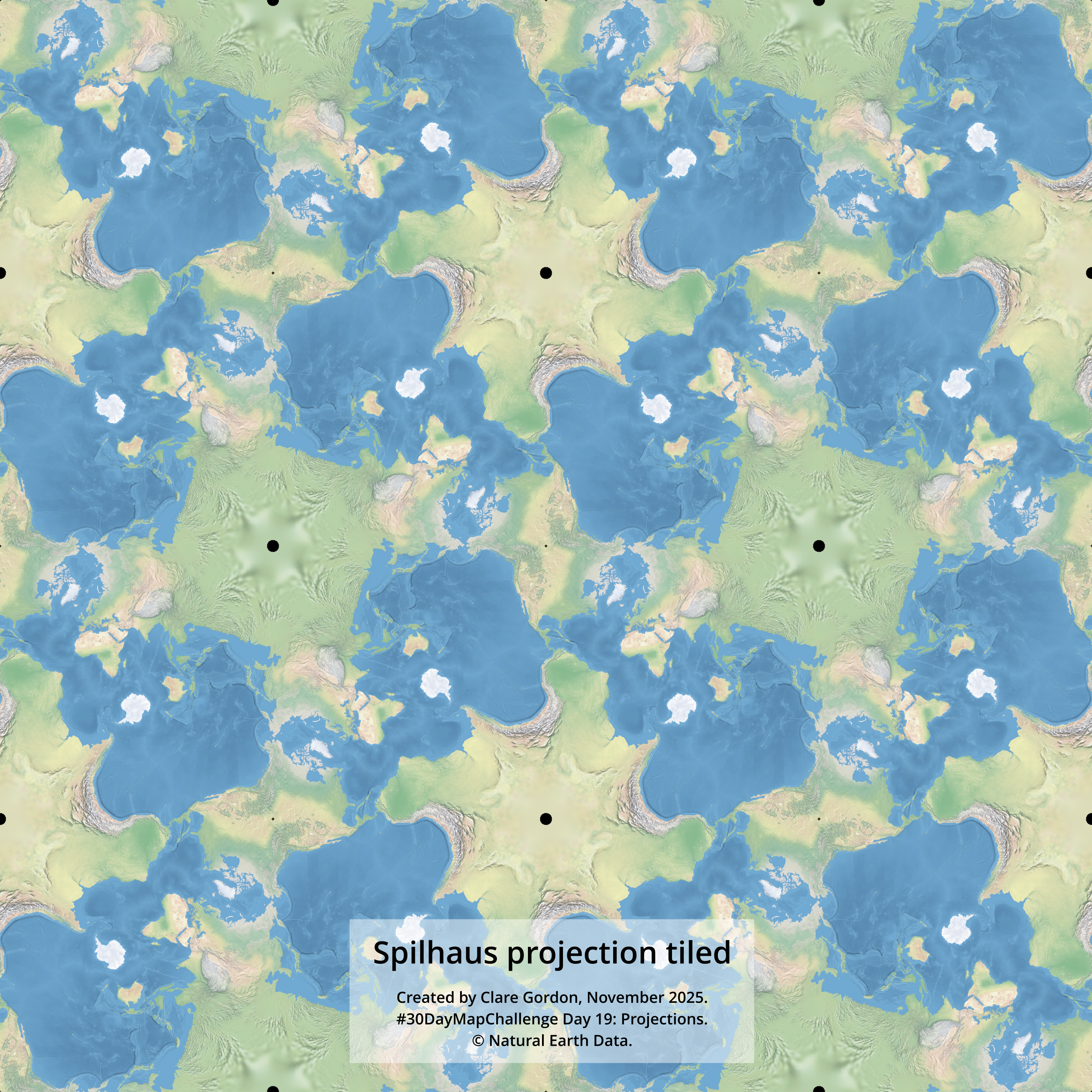
Data
- Natural Earth Data - 1:50m Natural Earth II with shaded relief and water.
Tools used
- QGIS.
- Inkscape.
What did I learn?
- Tried projecting a vector polygon layer first but it created too many problems, particularly at the edges.
- A raster layer reprojected much more effectively.
What would I do differently or want to find out?
- This is rather fun - try a different raster map background to see the effect?
- Add some ocean-related data? Could get rather complex - would need a simpler background map.
Process (more detail about how I made the map)
In QGIS
- Reprojected the Natural Earth raster layer to Spilhaus -
ESRI:54099- withRaster > Projections > Warp (Reproject). - Added to a new map in QGIS - worked immediately.
- Exported as an image -
Project > Import/Export > Save map as image. Set to layer extent.
In Inkscape.
- Add image, then duplicate three times so have four tiles.
- Arrange in a 2 x 2 grid carefully lined up with no gaps.
- Need to rotate three of the images until the continents line up.
- Then group the four images and duplicate 4 times again.
- Once more arrange in a 2 x 2 grid lining up carefully. Don’t need to rotate this time.
- Add text and export drawing.