Tanaka contours for The Long Mynd, Shropshire
Inspiration and instructions from: Landscape Archaeology
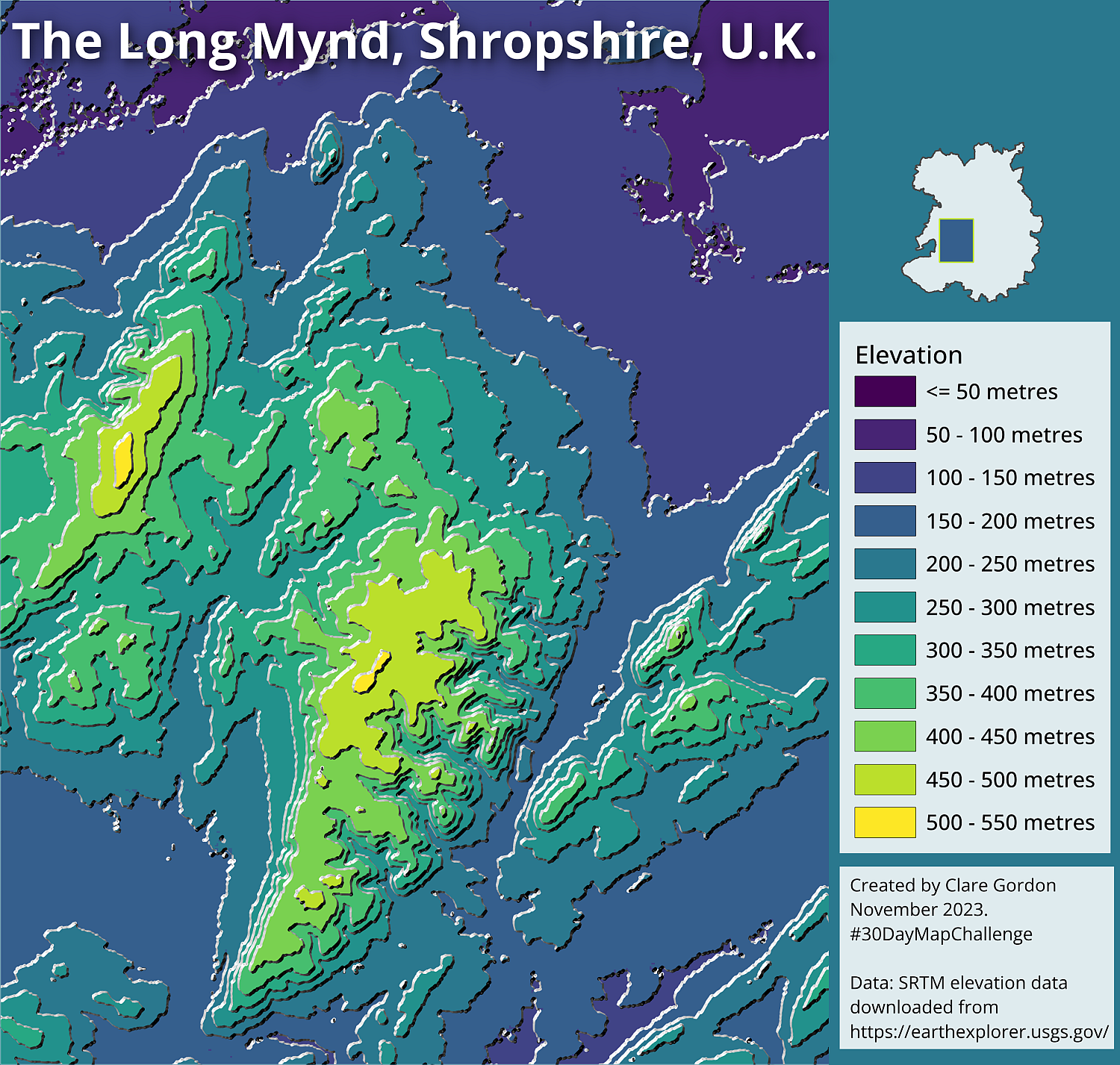
Data
- SRTM data downloaded from EarthExplorer.
- Shropshire, Telford and Wrekin boundary (combined) from ONS Boundary Data (Contains public sector information licensed under the Open Government Licence v3.0.)
Tools used
- QGIS.
- QGIS Hub plugin
What did I learn?
- Using QGIS Hub plugin - where to find the style!
- Was somehow expecting style to do the full colours, but then realised need to style the SRTM data underneath the contours. The style only provides the shading in greyscale for the contours.
What would I do differently or want to find out?
- Tried some blending modes on the styled contours. Could be good to make a “poster” showing the differences. Very effective!
Process (more detail about how I made the map)
Attempted first in R, but struggled to load data. Need to do more in R before I start doing this sort of thing! Was very easy in QGIS once I worked out I needed to style the SRTM layer.
Preparing data
- Merged SRTM layers, reprojected to British National Grid (EPSG:27700), then used Shropshire boundary to mask the raster.
Workflow
- Toolbox -
GDAL > Raster extraction > Contour.- Used
50m contours.
- Used
- Used QGIS Hub plugin to download style for Tanaka Contours.
- Applied to 50m contours.
- Styled SRTM raster layer with viridis colour ramp.
- Set
InterpolationtoDiscrete. - In this case need
11classes. - Set classes to
50mintervals to match contours.
- Set
- Setup layout and exported to image.